
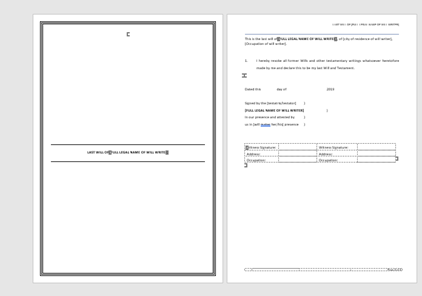
The Will template is formatted as your firm requires. It consists of a cover page, content page and signoffs. Your firm creates Will fragments (blocks of text) to insert into the template when a Will is created. Will styles make formatting the template and the Will fragments consistent.
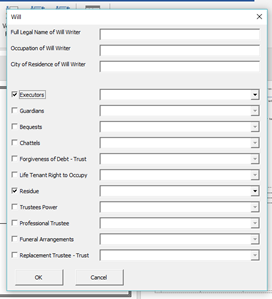
The body of the document is built with the Will builder dialog box, which inserts Will fragments into the document. The categories of Will fragments are entirely up to your firm. You decide the categories, and the dialog box modifies to suit. You can have as many different Will templates, with their own unique categories, as your firm requires.
The categories are replicated as folders stored in the OneAuthor Folder (see below – file explorer puts them in alphabetical order).
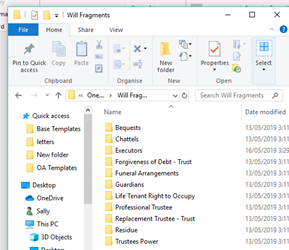
Each folder holds the fragments associated with the category. An example of a fragment for Executors could be:
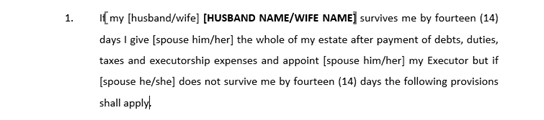
This fragment is stored in the ‘Executor’ folder with a very clear name identifying the content of the fragment i.e. ‘All to Spouse Clause.docx’.
When the user selects this fragment, it is inserted in the document. The order of the categories in the dialog box controls the order in which the fragments are inserted in the Will.
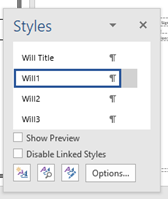
The Will and the fragments are formatted with styles that include ‘Will Title’, ‘Will 1’, ‘Will 2’ and ‘Will 3’. These styles include the numbering, font, spacing and indents. The styles ensure the fragments slot into the Will and match the Will’s format. The styles are formatted to your firms’ requirements.